
Affiliate disclosure: As an Amazon Associate we earn from qualifying purchases. Links to Amazon in this post may earn us a commission at no extra cost to you. Learn more.
This guide is for podcasters, streamers and remote workers whose microphone sits on a desk stand, picks up every keyboard thump and blocks half the monitor. A boom arm lifts the mic off the desk, puts it where your mouth is and folds out of the way when you are done. But arms differ a lot in reach, weight limit and cable handling. Here is what to check, three arms worth a look, and the mistakes that cause squeaks and sagging. This is based on manufacturer specs and published reviews, not hands-on testing.
What matters when buying
Weight limit versus your microphone. This is the number that decides everything. An arm rated for light mics will droop under a heavy one, and a very stiff arm may not balance a light USB mic. Add the weight of the mic, shock mount and pop filter, then compare it with the maker’s range.
Reach. Horizontal reach decides how far the mic can come toward you from the clamp; vertical reach decides how high it goes. If your desk is deep or you use a large monitor, longer reach saves you from leaning toward the mic.
Standard or low profile. A traditional boom puts the mic in front of your face, which suits audio-only recording. A low-profile arm keeps the mic below eye level and out of a camera shot, which matters for video. The two behave differently in a small workspace.
Mount and thread. Most mics use a 1/4 inch thread, while some use 3/8 or 5/8 inch. Check that the arm includes adapters or that your mic’s shock mount fits.
Cable routing and clamp. Look for a way to run the cable along the arm and a clamp that fits your desk thickness. Arms that hide cables look tidier and stop cable tugging from moving the mic.
What to ignore. Color finishes and extra decorative trim matter far less than weight rating, noise when you reposition it, and cable handling. If you have not picked a mic yet, our USB microphone guide comes first.
Quick picks
RODE PSA1+: for audio-first setups and a wide range of mics
High Ground Gaming’s review of the PSA1+ lists a parallelogram spring design, 940 mm of horizontal reach, 860 mm of vertical reach, and support for microphones from about 94 g up to 1.2 kg, so it can hold lighter mics that the original PSA1 could not. The reviewer praised nearly silent movement, easy positioning and two mounting options, a desk clamp and a threaded insert. The drawbacks the reviewer flagged are that it costs more than most high-end desk arms, the neoprene sleeves are not removable and may be hard to keep clean, and cable routing is external. See the RODE PSA1+ on Amazon.
Elgato Wave Mic Arm: for streamers who want reach and a counterweight
Elgato lists 780 mm of horizontal reach, 750 mm of vertical reach plus a detachable 150 mm riser, and support for microphones between 250 and 1,000 g including accessories, with a counterweight for mics from 250 to 750 g. It has a 360-degree ball head, a padded clamp that opens up to 60 mm, integrated cable channels, and 3/8 and 5/8 inch adapters in the box. The drawback is the weight limit at the bottom end: Elgato’s 250 g minimum means very light mics may not balance well on it, and it weighs 2,230 g by itself. See the Elgato Wave Mic Arm on Amazon.
Elgato Wave Mic Arm LP: for video setups where the mic must stay out of frame
Elgato’s page lists 740 mm of horizontal reach, 550 mm of vertical reach, a 2 kg load capacity for mic and accessories, a clamp that opens up to 60 mm, 360-degree rotation, magnetic cable covers, and both 3/8 and 5/8 inch adapters. A comparison by Tom (HiMyNameIsTom) credits the low profile for not blocking your face, camera or conversation. The drawbacks he flagged are that the magnetic cable covers pop off easily, that the ball head uses a proprietary mount tying you to Elgato’s head, and that it can get in the way of a laptop, tablet or keyboard. See the Elgato Wave Mic Arm LP on Amazon.
Common mistakes
Ignoring the minimum weight. People check only the maximum. Some arms are tuned for heavier mics, so a very light USB mic can bounce or drift. Check the lower limit as well.
Clamping to a thin or glass desk. Check the clamp range against your desk and use the padded plate or an insert if the maker offers one. Elgato sells a separate desk plate for flush mounting.
Letting cables hang. A loose cable drags the arm and can pass thumps into the mic. Route it along the arm and leave a little slack at the joints.
Buying for looks. If you record voice-overs or podcasts in a small room, the arm is only part of the fix. A mic that picks up less room noise helps; our clip-on microphone guide covers an alternative for mobile work.
Bottom Line
If you record audio only and want the widest mic compatibility, the RODE PSA1+ looks strongest on paper and in the High Ground Gaming review. If you are on camera, the Elgato LP keeps the mic out of the shot at the cost of some desk clutter, and the standard Elgato arm suits mid-weight mics with a bit more reach. Check the weight range first and the finish last.
FAQ
Will a boom arm hold my microphone?
Add up the weight of the mic, shock mount and pop filter, then compare it with the arm’s stated range. Elgato lists 250 to 1,000 g for its standard arm, and RODE’s PSA1+ is reviewed as handling roughly 94 g to 1.2 kg.
What is a low-profile boom arm?
It holds the mic below eye level and in front of you rather than rising up in front of your face. That keeps the mic out of a camera shot, which is why video streamers favor it.
Do I need an arm if I use a USB microphone?
No, but it helps. Getting the mic off the desk cuts keyboard thump and lets you place it close to your mouth, which usually improves clarity more than adding software filters.
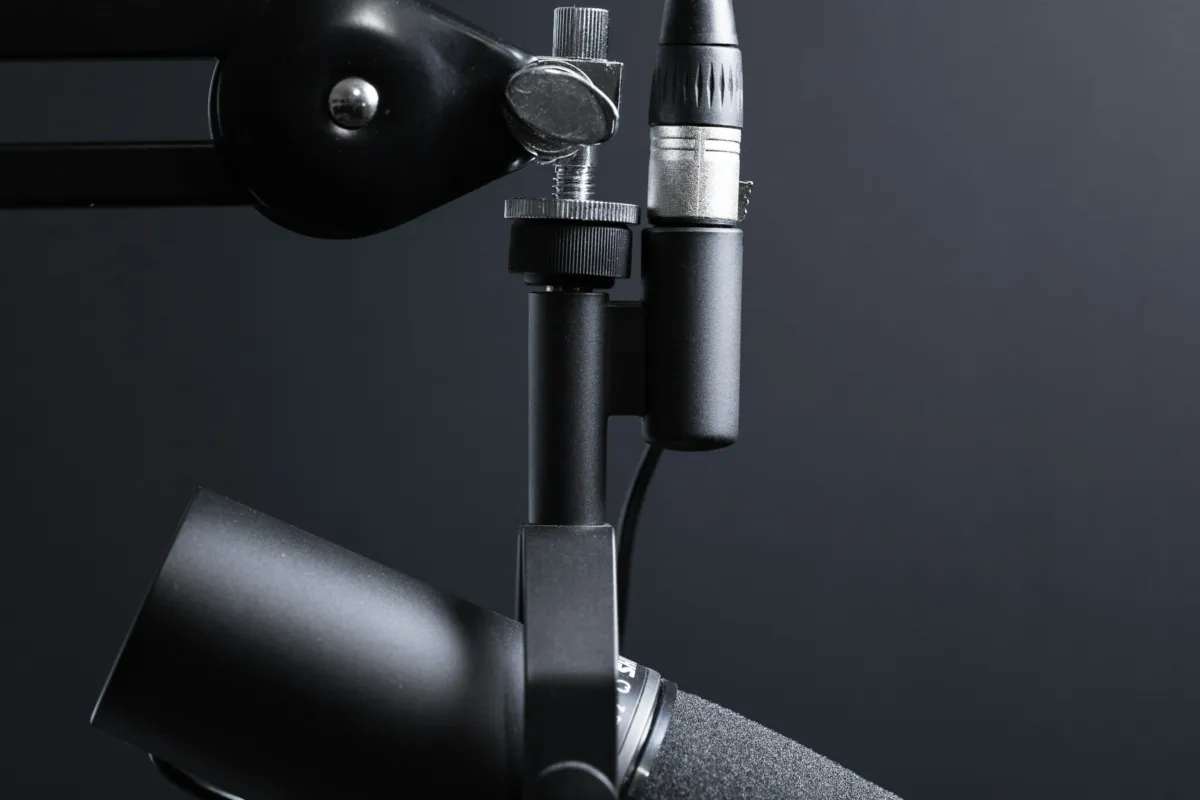
Featured image: Photo by Jukka Aalho on Unsplash.
No comments yet. Be the first to share your thoughts below.