
Affiliate disclosure: As an Amazon Associate we earn from qualifying purchases. Links to Amazon in this post may earn us a commission at no extra cost to you. Learn more.
This guide is for people who have outgrown a pile of external drives and cloud subscriptions: families with years of photos, home workers who want one shared folder, and anyone curious about running their own media library. A NAS (network-attached storage) is a small always-on computer that holds hard drives and shares them over your home network. Nobody here has tested these units hands-on. Everything below is based on manufacturer specifications and published reviews, and we name the source where it matters.
What matters when buying a 2-bay NAS
Drives are usually not included. Retailer listings for the Synology DS225+ describe it as sold without storage drives, and the same is typical for other diskless units. Budget for two drives on top of the enclosure. Synology also says only drives on its compatibility list are fully supported, so check the list before you buy.
Network speed sets the ceiling. Most home networks run at gigabit speed, and TechRadar’s review of the older Synology DS224+ measured a maximum sustained transfer of about 113MB/s, limited by gigabit Ethernet. A 2.5GbE port can go faster, but only if your router or switch and your computer also support it. Our Wi-Fi 7 router guide explains the port side of that.
Processor and memory matter for more than files. Basic file sharing is light work. Streaming video that needs converting on the fly, running apps or containers, and photo analysis all want a stronger chip and more memory.
Software. Each brand has its own operating system, and you will live in it. Synology uses DiskStation Manager, UGREEN uses UGOS and QNAP uses QTS. Ease of setup and app ecosystem differ, so read a review of the software, not just the hardware.
What to ignore: raw capacity bragging rights. Two drives in a mirror give you the capacity of one, so plan around usable space.
Quick picks
Three different priorities, not a ranking.
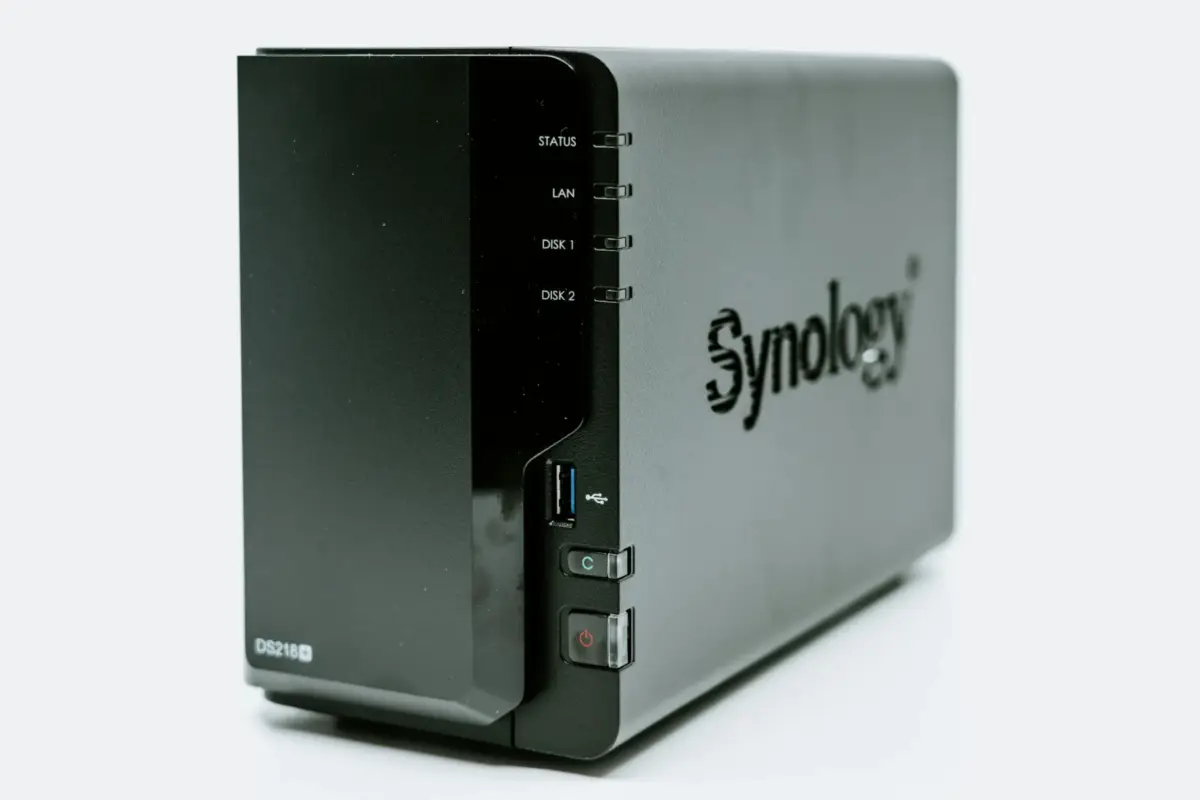
Synology DiskStation DS225+
Who it suits: people who value mature software and are happy to pay for it. Strengths: B&H lists an Intel Celeron J4125 quad-core processor, 2GB of DDR4 with one memory slot, two hot-swap SATA bays for 2.5 or 3.5 inch drives, one 2.5GbE and one gigabit port, two USB 3.2 Gen 1 ports and a three-year limited warranty. Apple World Today’s review praised the Active Backup Suite and the Surveillance Station video management app. Drawback: the same reviewer called installing the drives tricky, said there were no printed setup instructions and described it as overkill for most people. B&H’s listing also gives conflicting maximum memory figures, so check Synology’s documentation before buying extra RAM. Search for it on Amazon.
UGREEN NASync DXP2800
Who it suits: buyers who want stronger hardware and are comfortable with a newer software platform. Strengths: Android Central’s January 2025 review lists an Intel N100 processor with hardware transcoding, 8GB of upgradable DDR5 memory, two tool-less 3.5-inch bays, a 2.5GbE port, two M.2 slots and Docker support. The reviewer called its build quality best in its category. Drawback: the reviewer notes there is only one Ethernet port, that it is expensive for its class and that it lacks a native Plex app, so Plex has to run in Docker. Because software changes quickly, check current reviews of its UGOS system as well. Search for it on Amazon.
QNAP TS-233
Who it suits: first-time buyers who just want a private cloud for backups and file sharing. Strengths: StorageReview’s review lists a quad-core ARM Cortex-A55 processor, two hot-swap SATA bays, QTS 5 and snapshot protection against accidental deletion, and calls it quiet, cool and a low-cost entry point. Drawback: the same review says the 2GB of memory cannot be upgraded, performance is modest and the case must be opened to reach the drive bays. It also has a single gigabit port, and the review dates from April 2022, so check current availability before you order. Search for it on Amazon.
Common mistakes
Treating a NAS as a backup. A mirrored pair protects you if one drive dies. It does not protect you from deleting a folder, a power surge or theft. Keep a second copy somewhere else, and consider a surge protector for the outlet it sits on.
Buying the enclosure and forgetting the drives. The drives are a real part of the cost, and they should be the kind the maker supports.
Assuming 2.5GbE will speed everything up. It only helps if the rest of the chain supports it. For occasional single-file moves, a fast external drive may serve you better, as our portable SSD guide shows.
Opening it up to the internet carelessly. Android Central’s reviewer recommends Tailscale for remote access to the UGREEN rather than relying on built-in options, which is a useful principle: use a vetted, minimal way in and keep the software updated.
Bottom Line
If you want the most established software, the Synology is the conservative choice, though the reviewer found setup fiddly. If you want stronger hardware and Docker, UGREEN’s DXP2800 is the option reviewers praised, at the cost of a younger platform. If you only need a basic home backup and sharing box, the QNAP TS-233 fits, though its review is the oldest here. Whichever you choose, plan for the drives and keep a second copy of anything you cannot replace.
FAQ
Do I need a NAS, or is cloud storage enough?
Cloud storage is simpler, while a NAS gives you local speed, no monthly storage plan and control over your data, at the price of setup and upkeep. Many people use both.
What does RAID 1 do in a 2-bay NAS?
It mirrors the same data on both drives, so the NAS keeps working if one drive fails. It does not replace a backup, because deleted or corrupted files are mirrored too.
Do I have to use the maker’s own drives?
Not necessarily, but check the maker’s compatibility list. B&H notes that only drives on Synology’s list are fully supported on the DS225+.
Featured image: Photo by Claudio Schwarz on Unsplash.


No comments yet. Be the first to share your thoughts below.